
WiFi Wars
Leading broadcaster and financial commentator Susannah Streeter who has anchored flagship business news programmes on TV and radio and hosted major summits, conferences and events, around the world, discusses the trials and tribulations of broadcasting from home over wifi during lockdown.


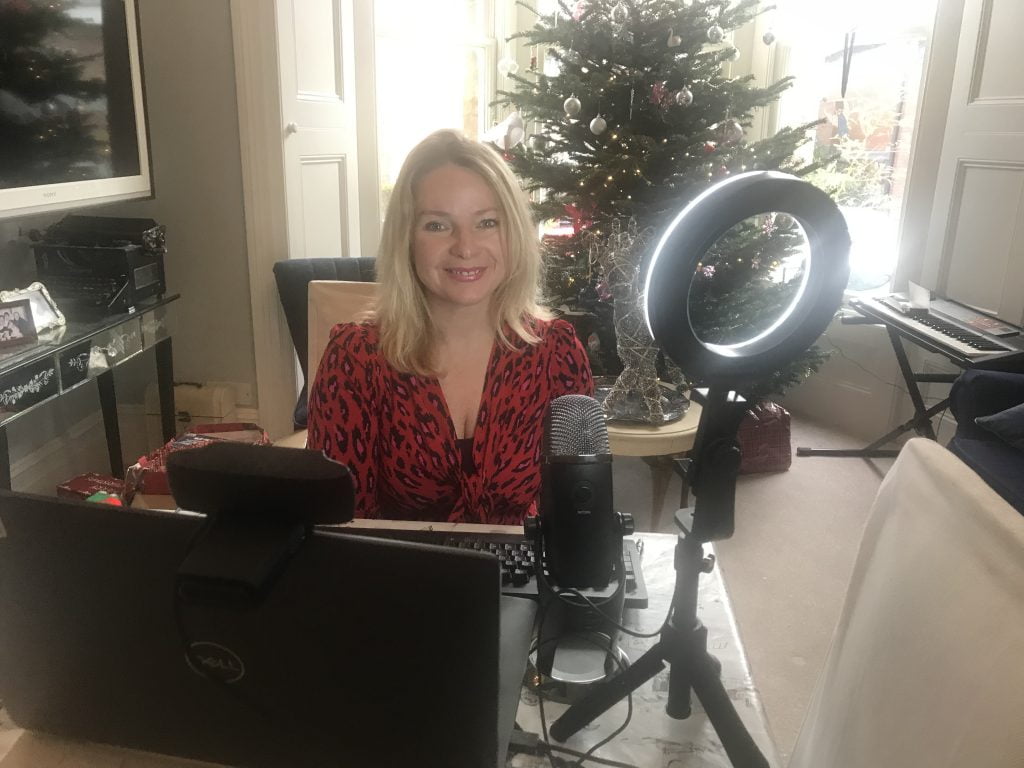
The news that kids are going back to school next week could not have come soon enough for most parents. The challenges of home-schooling have been very well-documented, especially by parents who are trying to work from home too, but the stakes for virtual presenters are often higher.
Having a toddler stumble into your weekly planning meeting might be thought cute or, at worst, just one of the many trials of lockdown life.
If you’re chairing a virtual roundtable on the future of the green economy, it could be seen as rather unprofessional.
Even if you’ve stopped your tech-obsessed teens from making off with your mics and cameras, carefully barricaded yourself behind enough walls and doors to muffle the sound of any lively virtual classes and bribed them all into relative silence, there are still bandwidth issues to overcome.
However well-equipped your broadcast set-up, you’re likely to be sharing a broadband connection with everyone else in the household, which could entail simultaneous Zoom calls, Google Meets and Teams meetings, not to mention all the parallel connections your kids have open with their classmates and BBC Bitesize streaming to your TV.
Broadband supplies vary enormously, depending on where you are in the country, the bundles of copper or fibre optic cable under your street and the package you’ve chosen. Rural areas tend to be less well-served, for obvious reasons, but even living and working in the heart of the city won’t guarantee the faster speeds you might need for events and broadcasting.
Before 2020, all that most people ever considered when picking a home broadband package was download speed. Unless you were regularly sending large files or uploading video, the vast majority of data was coming in one direction. Now, thanks to the pandemic, even the average household might be trying to make multiple video calls at the same time.
The upload speeds required by Zoom et al. are relatively modest and will typically take what they can get, adjusting the quality if the required bandwidth isn’t there. Broadcasters and some conference platforms tend to be more picky, and rightly so. It wouldn’t look great if the resolution or frame-rate were to drop, right in the middle of your killer soundbite about the latest market moves.
It all depends on the kit and software you’re connecting to the studio with, but some platforms that I have to use, like Globelynx, demand a stable minimum of 7 Mbps upload speed. Our supply used to give us comfortably more than double this, but has dropped to an unstable 4-5 Mbps over the past couple of months, and that’s before deductions for Classroom Meets and Fortnite games.
So, getting the best out of our broadband has become a continuing challenge. You’ll get plenty of tips about optimising wifi from your supplier, but there are a few hacks I’ve picked up elsewhere that can make all the difference for broadcasters and presenters.
Know your enemies – you should be able to see and temporarily block other bandwidth hungry devices from your network, but the easiest way is to restrict most of the household to a guest wifi network that you can quickly shut down at critical moments. Do warn the other users though!
Become a ‘cable guy’ – if you can, bypass wifi altogether and plug the device directly into your router’s ethernet port, to make the most of whatever bandwidth is available. You can even buy adapters to connect your iPhone via ethernet, which are handy for phone apps like Larix Broadcaster and also plug into the power supply you’ll need for longer interviews.
Hit the hotspots – crazy as it may sound, a 4G signal may well offer a better connection than your broadband, especially in some rural areas. Providers may want to sell you a separate ‘MiFi’ mobile router, but try before you buy. You can create a hotspot on your phone and position it where it gets the best signal to relay to your broadcasting device, but do watch your data allowance, if it’s not unlimited.
Test, test and test again – numerous websites offer broadband speed tests but functionality and quality do vary. Phone apps like Speedtest from Ookla and SpeedSmart are quick and easy to use and keep records of each test, so you can tweak your setup and test repeatedly to get a true picture of the upload and download speeds that you’re actually getting.
Your plan B – Whatever your set-up, make sure you have a failsafe option. I still have nightmares about the time our broadband failed minutes before going on air over SIP Audio, leaving me to present an entire BBC World Service programme ‘blind’ over FaceTime audio, but at least the show still went out.
The kids going back to school may ease the pressure on broadband supplies for a few hours a day, but newsrooms are as likely to want that interview at 9 in the evening as 9 am, so an end to the wifi wars is not yet in sight.
One day, no doubt, every home will have a copious and constant, full-fibre connection that we’ll take as much for granted as we do our power supplies. Until then, we’ll just have to make the most of what we’ve got and pray it doesn’t fall over at an embarrassing moment.